SAML Authentication Integration
You can use [SAML Authentication Integration] if it has been configured in [SAML Authentication Integration Settings] in the setup menu.
When integration setting is configured, the URL to be accessed for SAML authentication will be displayed on the current settings screen. The system administrator is expected to inform this URL(2) to users who will use it.
When using the mobile version, please share the URL (5) with users.
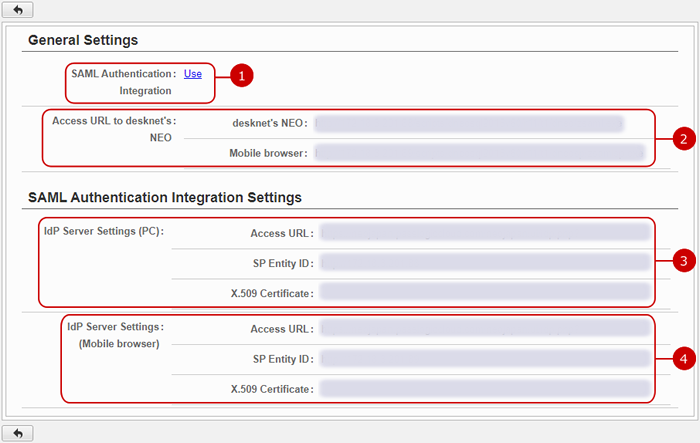
If you access the URL in (2), the login screen for the IdP server of the SAML product configured will appear.
When the using the mobile version by accessing the URL displayed in (5), the login screen for the IdP server of the SAML product configured will be displayed.
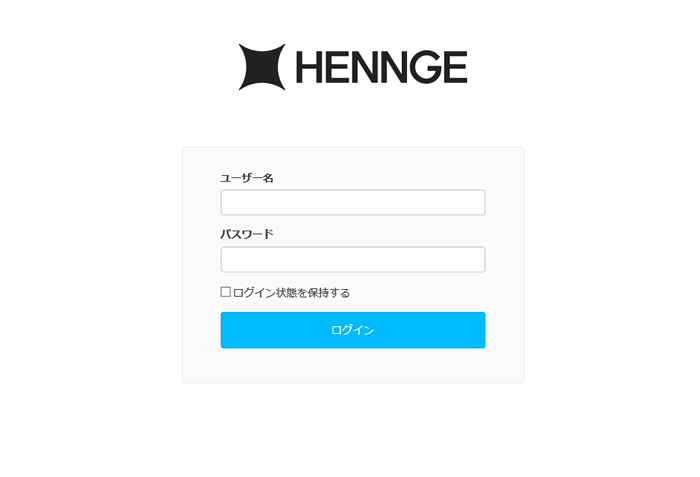
By entering the login ID and password at this screen, you can log in to desknet's NEO by SAML authentication SSO. (This is the screen displayed when accessing [Access URL to desknet's NEO] when HENNGE One is set for SAML authentication)
To log in via App using SAML authentication
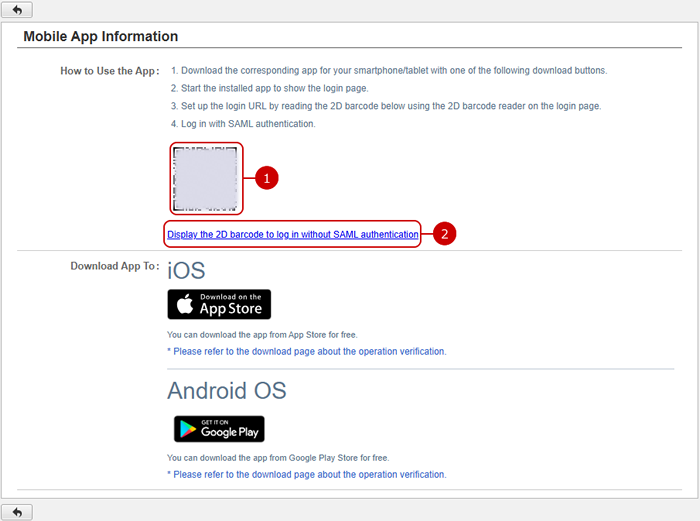
When the SAML Authentication Integration (Mobile Version) is set to use, the 2D barcode for log in using SAML Authentication is displayed on the [Personal Settings]-[Mobile App Information] screen.
You can log in using SAML authentication by reading the displayed 2D barcode with the mobile app.
-
The 2D barcode helps users to set up the login URL.
-
You can switch to a 2D barcode for a (normal) log in without SAML authentication.
