To Setup Application Administrators
When you press "Setup" in System Management menu on Transportation/Expense List dialog, Setup dialog appears.
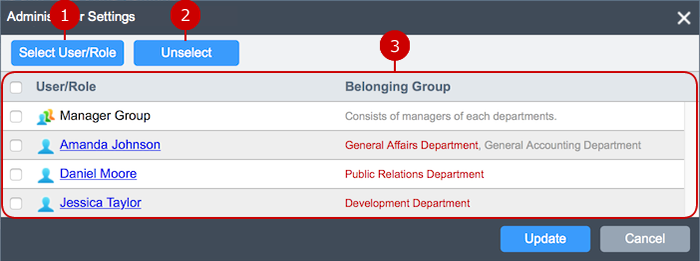
You can setup the application administrators of Transportation/Expense.
The users who are assigned to the application administrator can use the application management functions.
-
Select users, roles.
When you press "Select User/Role" button, User/Role Selection window is displayed.
(For more details about user/role selection, please refer to Common Functions for All Screens > User/Group/Role Selection in User's Manual.)
-
Unselect users, roles.
-
Users and roles you selected are displayed.
Click "Update" button to save the changes.
To Add License Key of Transportation/Expense
Open Setup > Basic Settings > License Settings screen.
Please note that you have to obtain a license key before the setup.
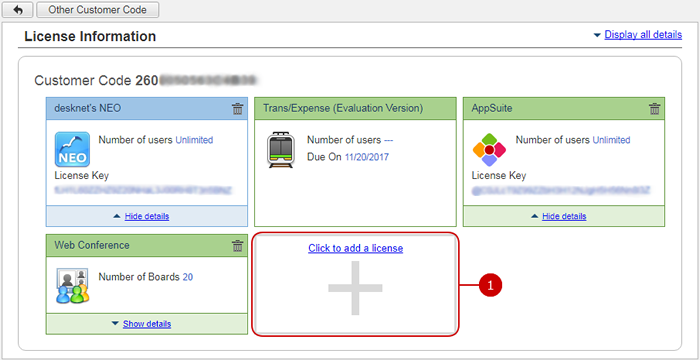
Click "Add License Key" button to open Add License Key screen.
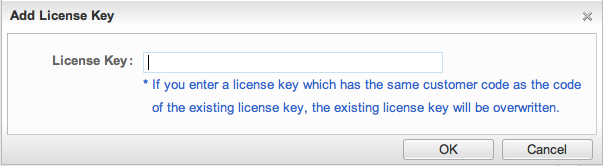
Enter a license key of the Transportation/Expense application and click "OK" button to save.
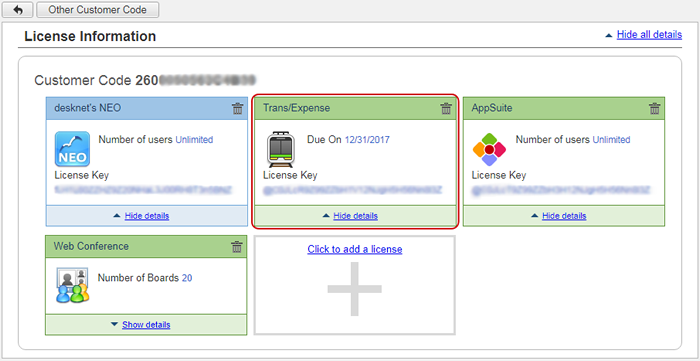
You can see the key has been added to the list.
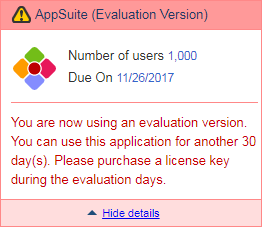
* Number of days left until your license expires is displayed on the license information when the number of days left is 30 or less.
Please renew your license before it expires.