To See Current Settings
When you press the link of Current Settings in Settings menu, Current Settings screen is displayed.
You can check the status of various settings of File Transfer.

-
The current setting status of the application administrators who manage all assistants is displayed.
Click the link to go to Administrator Settings screen.
To Setup Application Administrators
When you press the link of Administrator Settings in AI Assistant Integration, Administrator Settings screen is displayed.
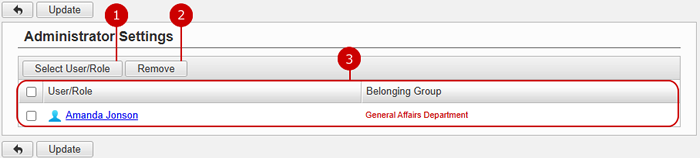
You can setup the application administrators of AI Assistant Integration.
The users who are assigned to the application administrator can use the application management functions.
-
Select user or role to assign as application administrators.
When you press "Select User/Role" button, User/Role Selection window is displayed.
(For more details about user/role selection, please refer to Common Functions for All Screens > Selecting users/groups/roles in User's Manual.)
-
Unselect users or roles.
-
Users and roles you selected are displayed.
Click "Update" button to save the changes.
